💬
FOR EVENT PLANNERS
Simplify your event planning
All-in-one platform to manage guests, tables, budgets, layouts, and beautiful digital invitations.
POWERFUL FEATURES
Everything you need to plan perfect events
Our complete toolkit helps you manage every aspect of your events, from the first invitation to the last goodbye.
No more chasing anyone
Track RSVPs in real time and organize your guest list with smart filters and tags.
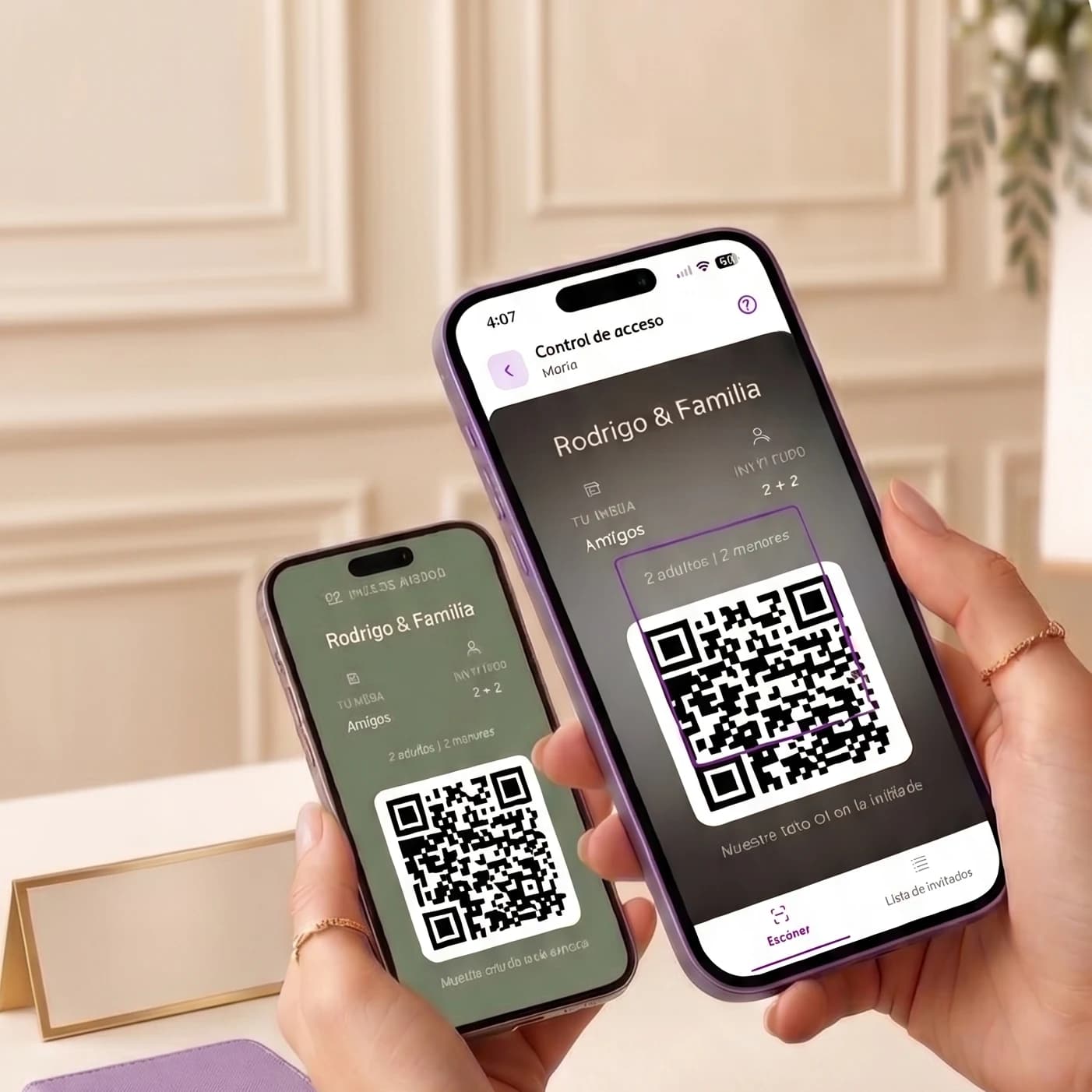
Check-in
Check-In even offline
Scan passes at the door — fast, even offline.

Your brand, on every invitation
Create fully customizable invitations and add your watermark.
Add your watermark

No one left standing
Organize tables and assign guests
Organize tables, assign guests, and make changes in seconds — even at the last minute.
Never forget a thing
Organize to-dos, assign owners, and follow up until everything is ready.
Budget under control
See every expense, set limits, and avoid last-minute surprises.
Every space, thoughtfully planned.
Design your venue layout with simple drag and drop.

Digital Album
An extra that elevates your packages — an experience your clients will love.
When everything flows, you grow too.
HOW TO GROW WITH INVITIO
Manage every event better so you can take on the next one.
Deliver a flawless experience to your clients and turn every project into your next referral.
01
Create a new event
Every event starts with a space where everything is organized from day one.
02
Build the experience
Design invitations, plan the venue, and organize every detail.
03
Share control
Invite your team or clients to join the planning with personalized access.
04
Operate without friction
Manage attendance, budgets, tasks, and check-ins from one dashboard.
05
Repeat the process, not the effort
Spend less time on coordination and take on new events with greater confidence.
WHY USE A PLANNER?
When everything is connected, nothing gets left behind.
When every event lives across chats, spreadsheets, and scattered messages, oversights get expensive. Invitio Planner puts control in one place.
THE TRADITIONAL WAY
A different mess for every event
WhatsApp and group chats where RSVPs and changes get lost
Outdated spreadsheets no one syncs in time
Scattered info: budgets, tables, and tasks across separate files
WITH INVITIO PLANNER
Fully organized. Every event under control.
Know in seconds who’s coming — without asking twice
Every decision in one place, not across five different apps
Full control of every event, and capacity to take on the next one
SIMPLE PRICING
One plan, everything included
No hidden fees. No tier confusion. Just one powerful subscription.
Planner Pro
$49
USD/month
Billed monthly. Cancel anytime.
Unlimited digital invitations
Up to 15 premium concurrent events
Know who confirms and who doesn’t
Tables & seating management
Budget tracking & reports
Event layout editor
Professional planner profile
Priority customer support
Start free with limited events. Upgrade anytime.
Ready to transform your event planning?
Join hundreds of professional planners who trust Invitio to manage their events.
Frequently Asked Questions
How to become a Planner?
To become a Planner, you must complete the Planner form in the 'I want to be a Planner' button, you will be redirected to the 'Create account' page if you don't have an account.
How to create an invitation?
To create an invitation, you must complete the invitation form in the 'Create invitation' section. You can go to Create invitation to create your invitation.
How to publish my profile?
You can publish your profile in the 'My Planner account' section by clicking on the 'Publish profile' switch.
How much does it cost to be a Planner?
The cost of being a Planner is $49 USD per month, you can cancel your subscription at any time.
Can I start for free? What are the limits?
Yes. You can create a free account and start creating events without a Planner subscription. To publish your professional profile and access all Planner tools, you need an active Planner Pro subscription.
How do I pay?
You can pay with a credit card or debit card.
How do I cancel my subscription?
You can cancel your subscription at any time in the 'My Planner account' section.
What happens if I cancel? What features do I lose?
If you cancel, your profile will no longer be published, you will stop receiving new event requests, and Planner Pro features will be disabled. You will still be able to access your existing invitations, but with limited functionality until you reactivate your subscription.
How to access my Planner account?
You can access your Planner account in the 'My Planner account' section, this section will be available after you have completed the Planner form.
How to change my password?
You can change your password in the 'Forgot password' link at the login page.
How to unpublish my profile?
You can unpublish your profile in the 'My Planner account' section by clicking on the 'Publish profile' switch.
How can I return to a Client account to make a single event payment if I converted my account to Planner?
Contact Planner support with the email address or phone number linked to your Invitio account and we will help you make the change.
What is included in the Planner subscription?
Planner Pro includes unlimited digital invitations, up to 15 premium concurrent events, guest and RSVP management, tables and seating, budget tracking, event layout editor, a professional public profile in the organizer directory, and priority support.
How do clients find me?
When you publish your profile with an active subscription, it appears in the Invitio organizer directory. Clients can browse profiles, view your services, and contact you directly from your public page.
What does the 15 premium concurrent events limit mean?
You can manage up to 15 active events at the same time with your Planner account. If you reach that limit, finish or archive an event before creating a new one. There is no limit on the total number of invitations you can create over time.
How to change my profile information?
You can change your profile information in the 'My Planner account' section, this section will be available after you have completed the Planner form.
Can I create unlimited invitations?
Yes, with an active Planner subscription you can create unlimited invitations for your clients.
What is the difference between Personal WhatsApp and official Meta?
Personal WhatsApp uses your personal number, is free in Invitio, and WhatsApp may limit bulk sending. Official Meta uses the WhatsApp Business API, is more stable for professional use, requires approved templates, and Meta charges per message.
I already use Personal WhatsApp — do I need to switch to official Meta?
It's not required. Personal WhatsApp works well for small events and low message volumes. Official Meta is optional and makes more sense when you need greater stability, approved templates, or are sending to a large guest list.
Do I have to stop using WhatsApp Business on my phone to connect a number?
No. You can keep using WhatsApp Business on your phone as usual. Connecting to official Meta links the number to Invitio for sending invitations, but you don't lose your day-to-day use of the app.
Can WhatsApp block my number when sending automatically?
With Personal WhatsApp it's possible, especially if you send many messages in a row to contacts who don't have you saved. With official Meta, sends follow WhatsApp Business rules and are designed for business use, with a much lower risk of being blocked.
Do I need to wait for a template to be approved before I can send?
Yes, if you use official Meta (WhatsApp Business API). Meta must approve your template before it can be used for bulk sending. With Personal WhatsApp there are no templates — you write the message and send it directly.
Do I need to add a payment method? What does that mean?
Meta requires an active payment method on your account to deliver messages outside the free conversation window. You set this up in Meta Business Manager, not in Invitio. Invitio doesn't charge you for this — Meta bills per delivered message according to their rates.
Does Invitio charge extra for integrating WhatsApp Business?
No. Invitio doesn't add any per-message fees or integration charges. If there is a cost, it's determined by Meta based on WhatsApp Business API pricing.
What happens if a guest doesn't receive the message?
There are a few possible reasons: the number is incorrect, the guest has blocked messages from unknown contacts, or in the case of official Meta, the payment method is not active. Make sure the number is correctly entered with the country code and check the send status in Invitio. If the issue continues, reach out to our support team.
Can I share the event with my client?
Yes. Go to Collaborators in the event panel, invite your client by email, and choose their role. Many planners use Reader so the client can preview the invitation and confirmation progress without editing, or customize permissions section by section.
I'm a planner, should I create the event or have the client create it?
If you create it, you're Owner and control the team from day one. If the client creates it and invites you, they stay Owner. Both work; it depends on who leads the relationship.
Why can't my Editor invite other people?
By default, Editors only have View on Collaboration invitations. Grant Create and Edit if you want them to invite others.
Someone left the team but I can't see them anymore
Collaborators can always leave on their own. Check pending invitations if they never accepted.
I gave View but they still can't edit
That's expected. View is read-only. Add Edit (and Create if needed) for that section.
Can a Reader see the budget if I turn it on?
Yes, Readers can View any section you enable. To block budget entirely, turn Budget off; don't just remove Edit.
Do permission changes apply immediately?
Yes for active members. For pending invites, changes apply when they accept.
How do I contact support?
You can contact our Planner support team on WhatsApp. We are ready to help you with your account, subscription, or any questions about the platform.

© 2026 - 2027 invitio.
Links
Invitations for every occasion
Navigation
Examples
How to create my invitation?
Our Prices
Frequently Asked Questions
Digital Invitations.

Download our app.
We are on Play Store and App Store. Download our app to manage your invitations.